
Less!Effort, More Results
All In One Checkout for WooCommerce
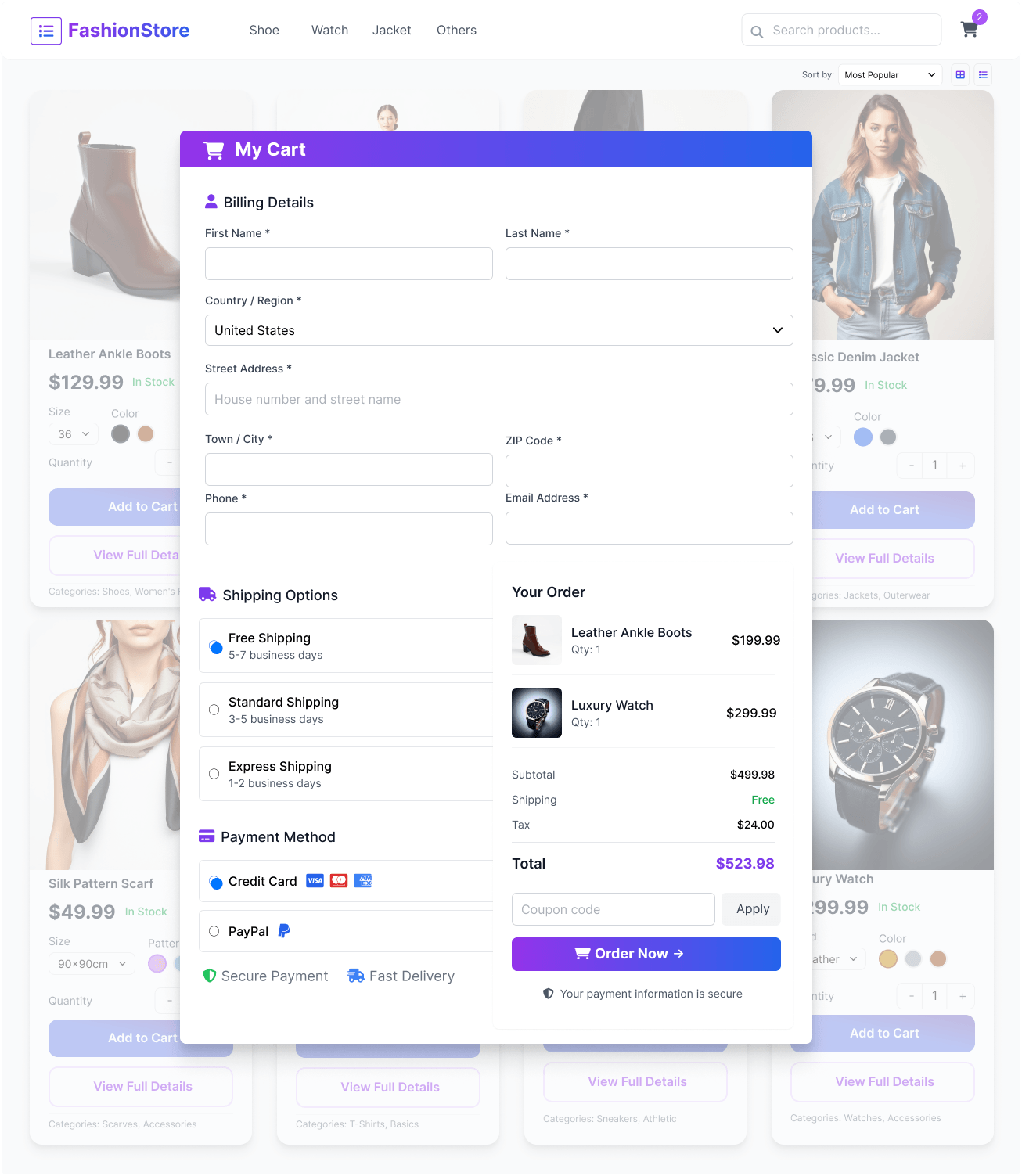
Give your customers the fastest way to buy with an all in one checkout for WooCommerce that simplifies the entire purchase process. It combines one page checkout, direct checkout, slide-out side cart, and popup checkout to reduce friction and improve conversions.
Speed up your store with a powerful all in one checkout for WooCommerce solution. Enable quick checkout for WooCommerce with AJAX updates, buy now buttons, and flexible checkout customization to create a faster and smoother buying experience.
WooCommerce All In one Checkout with Multiple Buying Options
Hassle-free Checkout
How One Page Checkout for WooCommerce Reduces Cart Abandonment?
Cart abandonment in WooCommerce often happens when the checkout process feels long or confusing. When shoppers move from product pages to the cart and then to checkout, each extra step increases hesitation and drop-offs, especially on mobile where speed and simplicity matter most.
One page checkout for WooCommerce (also known as WooCommerce 1 page checkout) reduces cart abandonment by keeping the entire buying process in one place. Customers can review products, enter details, and complete payment with fewer clicks and no unnecessary page reloads. This faster and more focused flow improves user experience and helps more shoppers complete their purchases.
Fewer steps. Faster checkout. Higher conversions.
Key Features of All In one Checkout for WooCommerce
These features work together to simplify the checkout process, reduce unnecessary steps, and improve buying speed across your WooCommerce store.
Advanced Checkout Features for WooCommerce
These advanced features give you more control over your WooCommerce checkout, helping you create a faster, smoother, and more conversion-focused buying experience.
How to Set Up All In One Checkout for WooCommerce
Getting started is simple. Follow these steps to set up all in one checkout for WooCommerce and improve your store’s checkout experience in minutes.
You can also customize WooCommerce checkout page settings to improve performance and user experience based on your store needs.
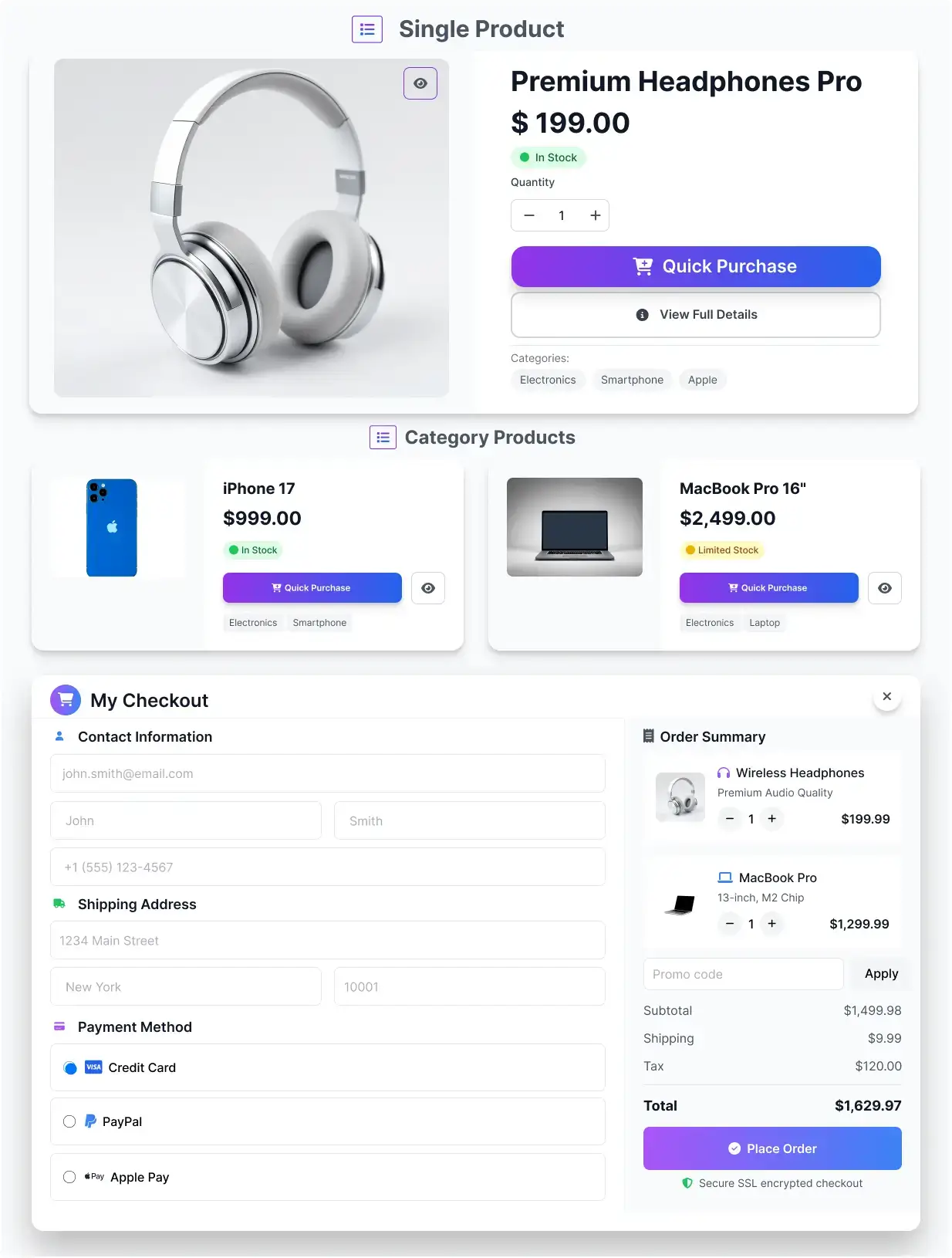
Direct Checkout for WooCommerce – Skip Cart and Buy Faster
Upgrade your store with WooCommerce direct checkout that removes unnecessary steps and speeds up the buying process. This direct checkout for WooCommerce solution allows customers to move from product selection to checkout instantly, reducing friction and helping complete orders faster.
👉 Product → Checkout (No Cart Step)
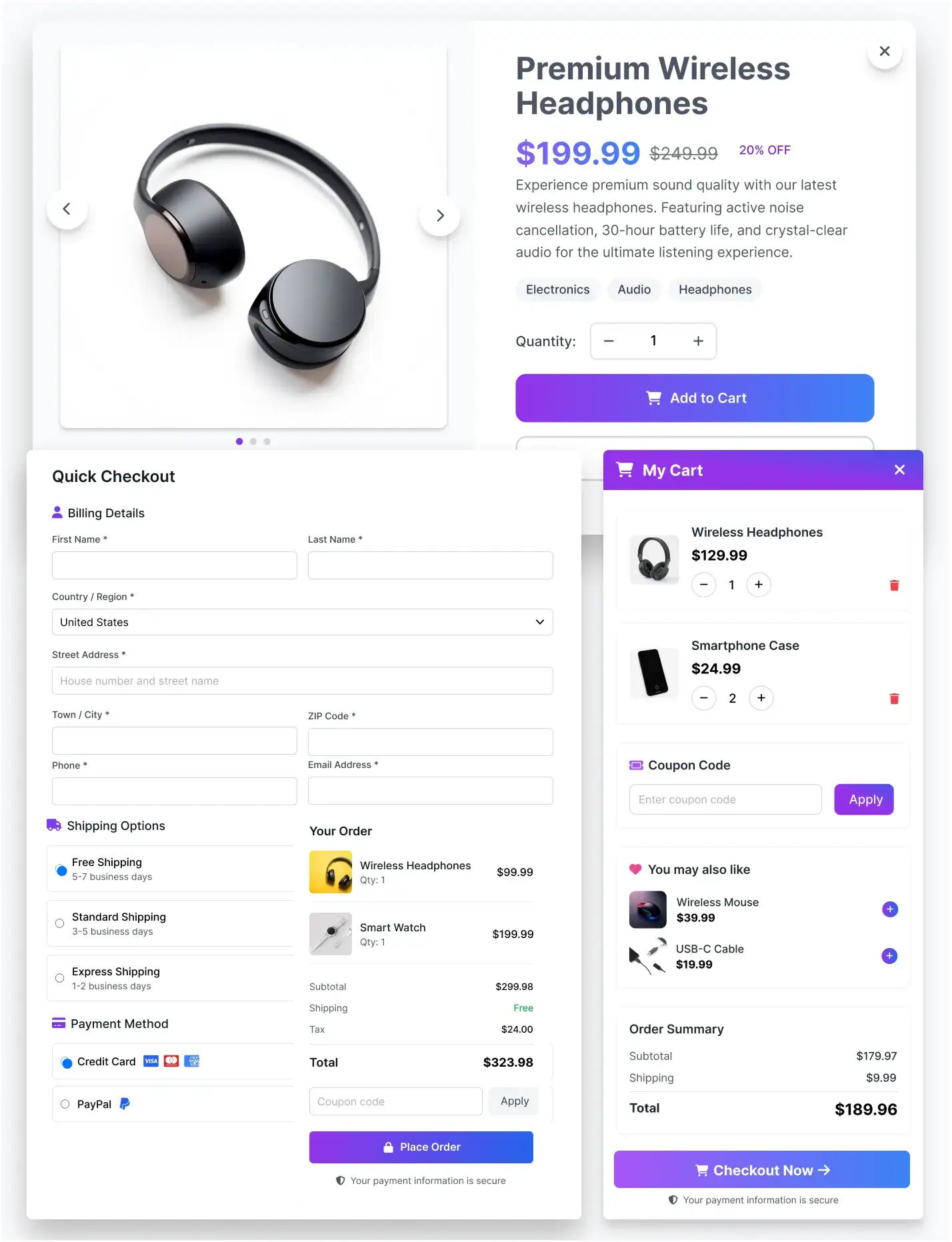
Single Page Checkout for WooCommerce – Complete Orders in One Page
Simplify your checkout process with WooCommerce one page checkout that allows customers to complete their entire purchase on a single page. From product selection to payment, everything stays in one place, creating a faster and more user-friendly buying experience.
👉 Product Selection → Checkout on One Page
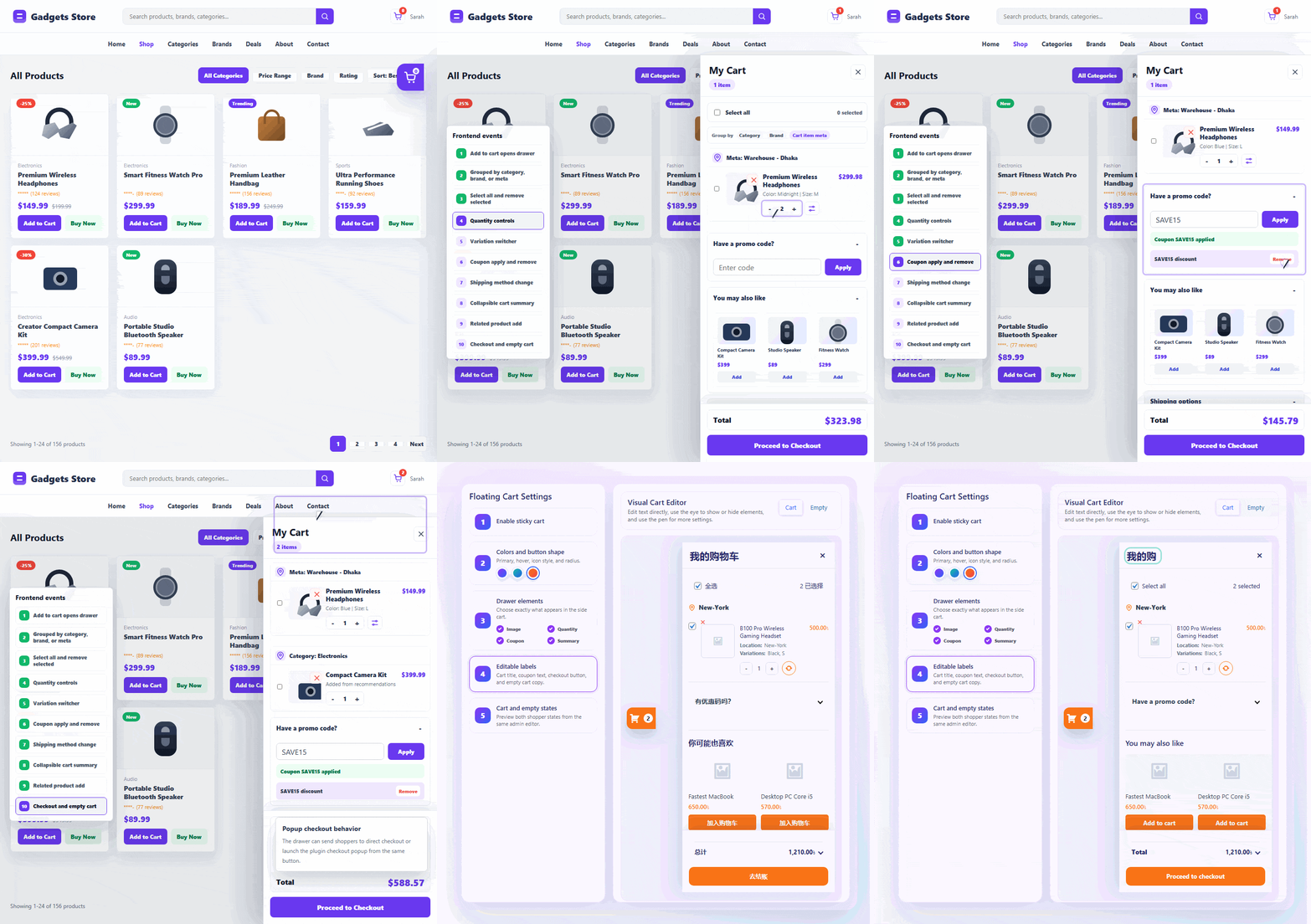
Slide-Out Side Cart for WooCommerce
Create a fully manageable floating cart for WooCommerce with a visual admin editor. Control the drawer layout, content, icons, colors, labels, empty-cart state, cart actions, shipping, coupons, and checkout behavior from one place while giving shoppers a smooth slide-out cart experience on the frontend.
👉 Browse → Add to Cart → Side Cart → Checkout
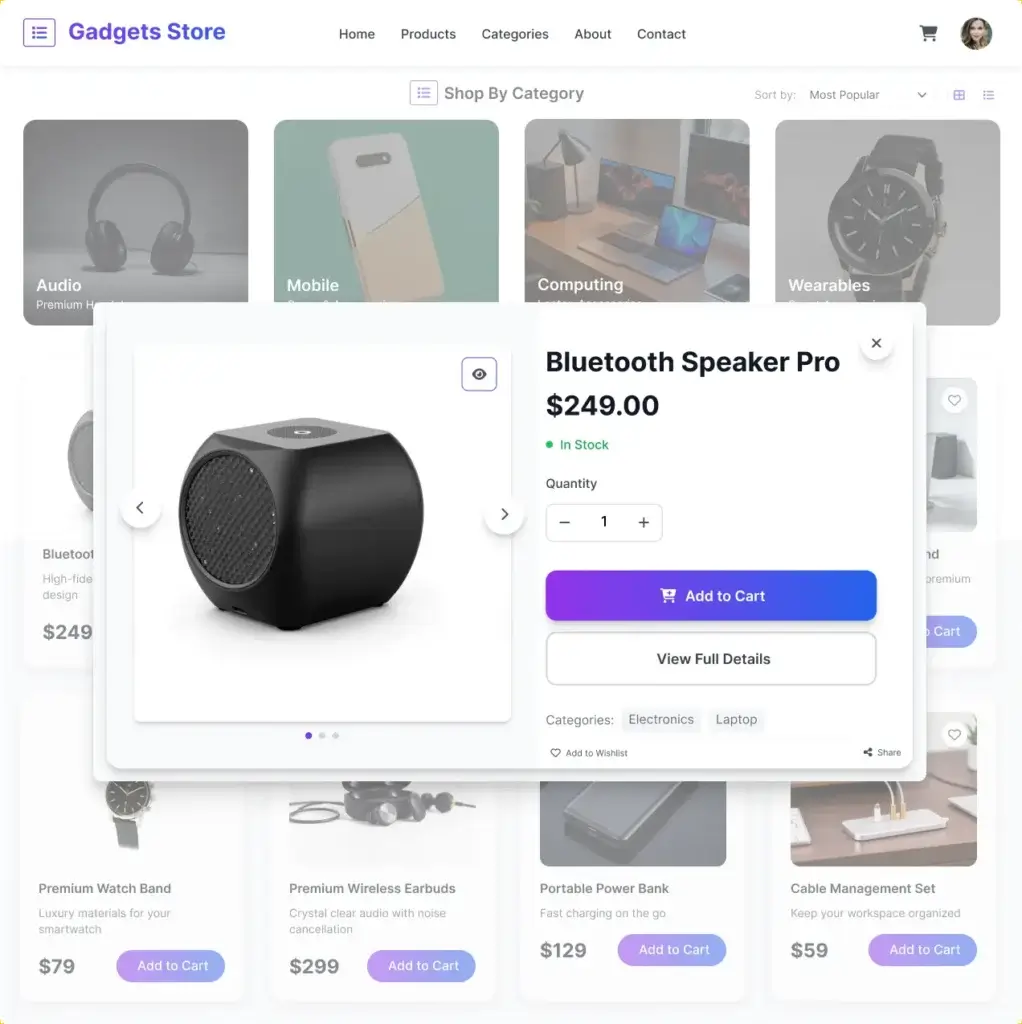
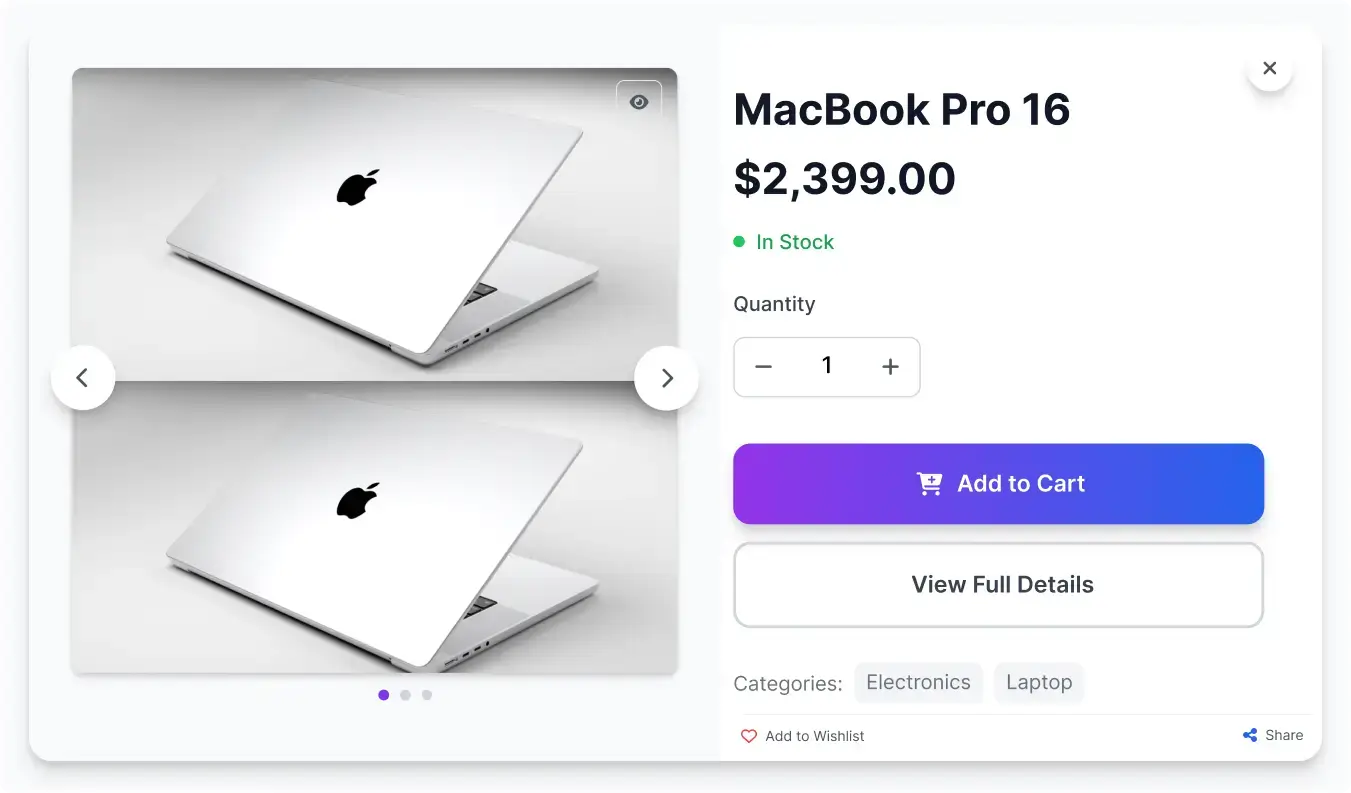
Product Quick View for WooCommerce
Enable WooCommerce product quick view so shoppers can preview product details instantly without leaving the shop, category, search, or product listing page. A fast Quick View popup helps customers compare products, view key details, choose options, and add items to cart with fewer clicks.
👉 Browse → Quick View → Add to Cart → Checkout
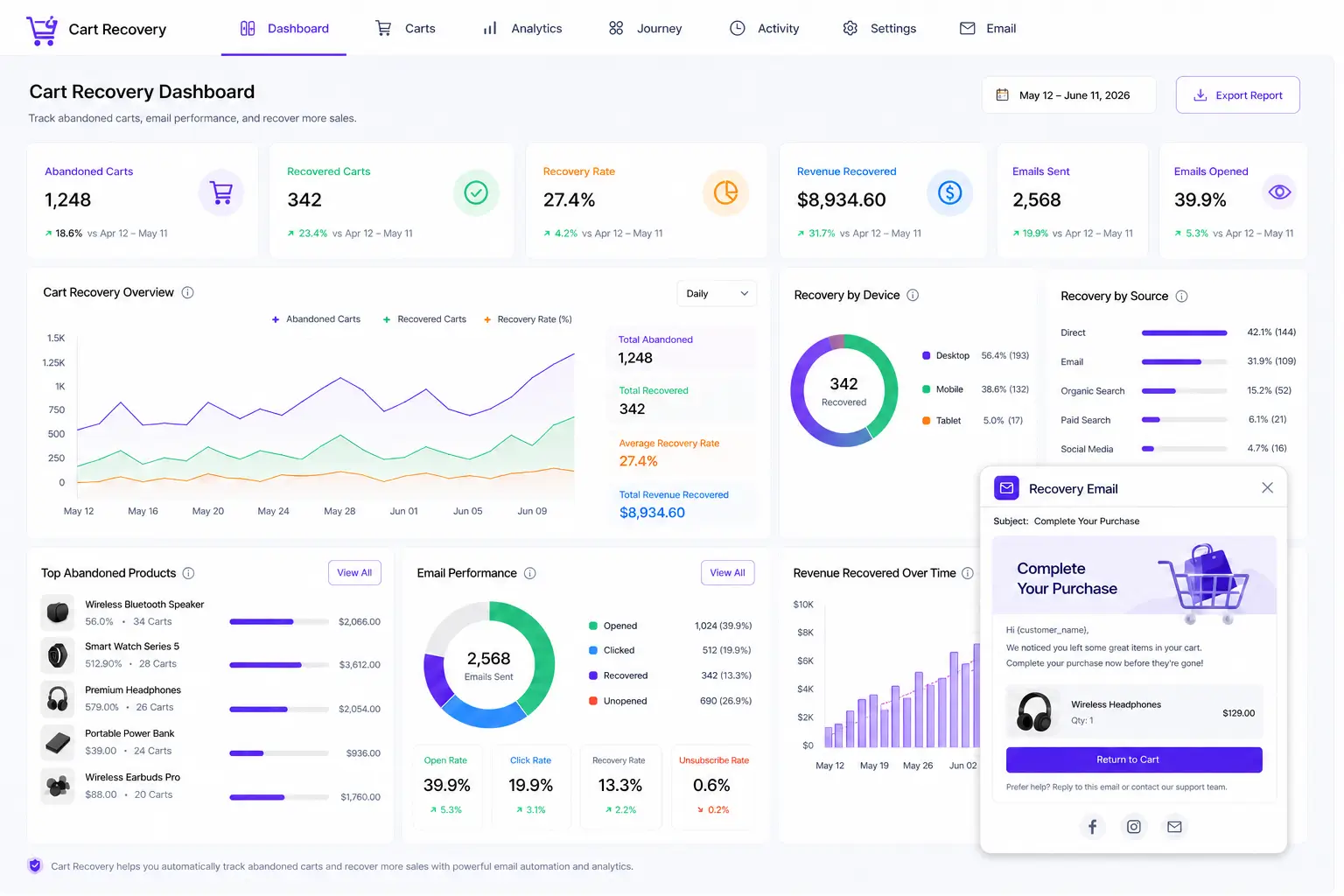
Abandoned Cart Recovery for WooCommerce
Recover lost sales with powerful WooCommerce cart recovery tools that help you track abandoned carts, send timely recovery emails, and bring shoppers back to complete their orders. Reduce cart abandonment, improve conversions, and turn missed opportunities into recovered revenue with a smoother follow-up process.
👉 Browse → Add to Cart → Leave Store → Recovery Email → Complete Purchase
Add to Cart Popup with AJAX Checkout for WooCommerce
Show instant add to cart popup WooCommerce confirmation with a smooth popup and allow customers to proceed to checkout without page reload. This AJAX-powered experience keeps users engaged, speeds up the buying process, and helps increase conversions.
👉 Quick View → Add to Cart Popup → Side Cart → Checkout
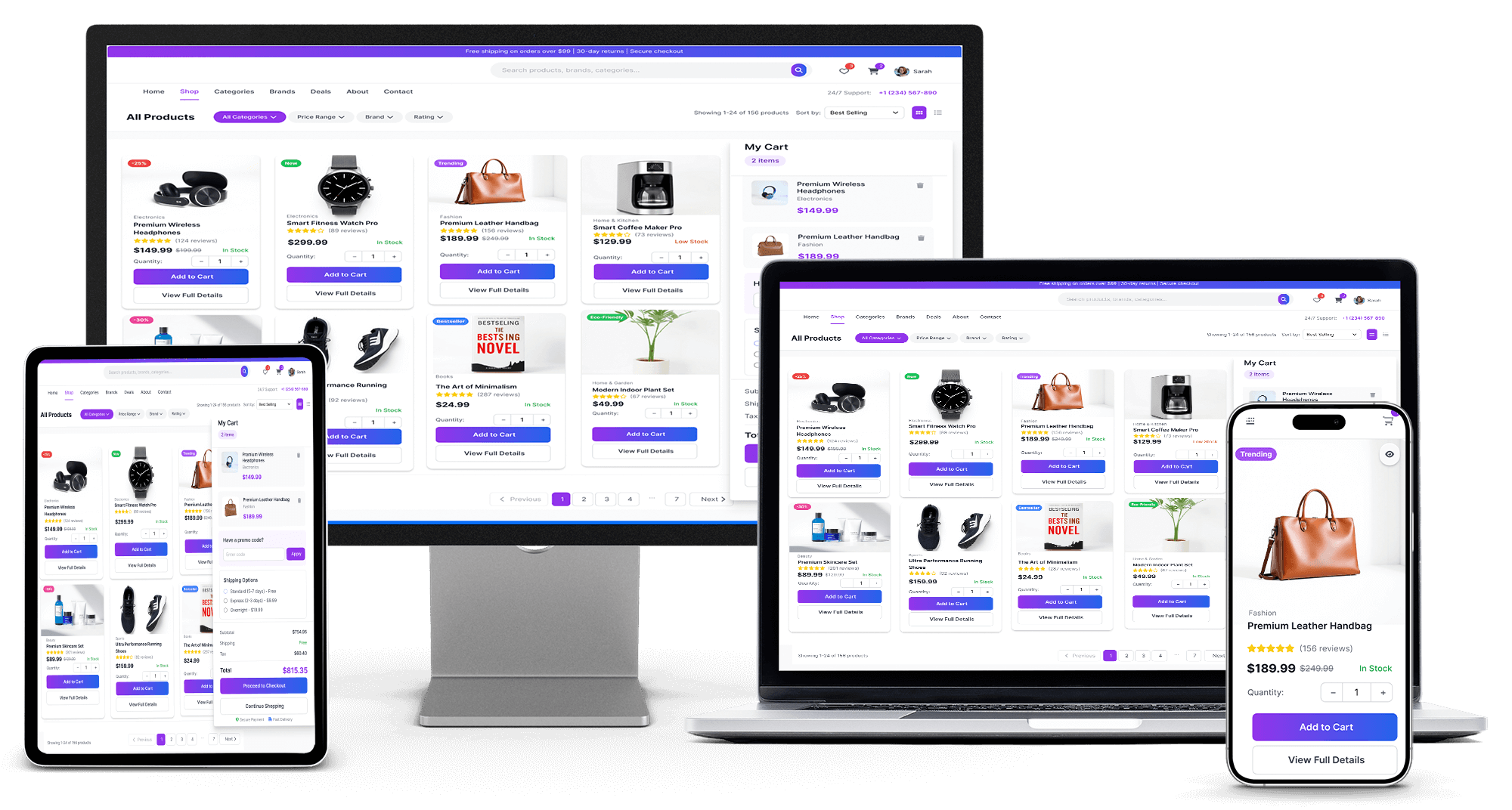
Mobile-Friendly All In One Checkout Experience for WooCommerce
Deliver a smooth and consistent mobile-friendly all in one checkout for WooCommerce across all devices. Whether customers are browsing on desktop, tablet, or mobile, the responsive layout adapts automatically to provide a clean and easy-to-use checkout experience.
This mobile-friendly checkout ensures faster loading, simple navigation, and a focused buying process on smaller screens. By reducing friction and improving usability, it helps customers complete purchases quickly and improves overall conversion rates.
👉 Desktop → Tablet → Mobile → Checkout

Advanced Checkout Controls for WooCommerce
Take full control of your WooCommerce checkout with flexible and easy-to-use settings built for modern stores. Manage checkout flow, customize add to cart behavior, and adjust form layouts from one centralized dashboard without any coding.
From simplifying the buying journey to improving usability and trust, these advanced checkout controls help you create a faster and more efficient checkout experience. Optimize every step to match your store’s needs while increasing conversions.
Easy Checkout Process Management for WooCommerce
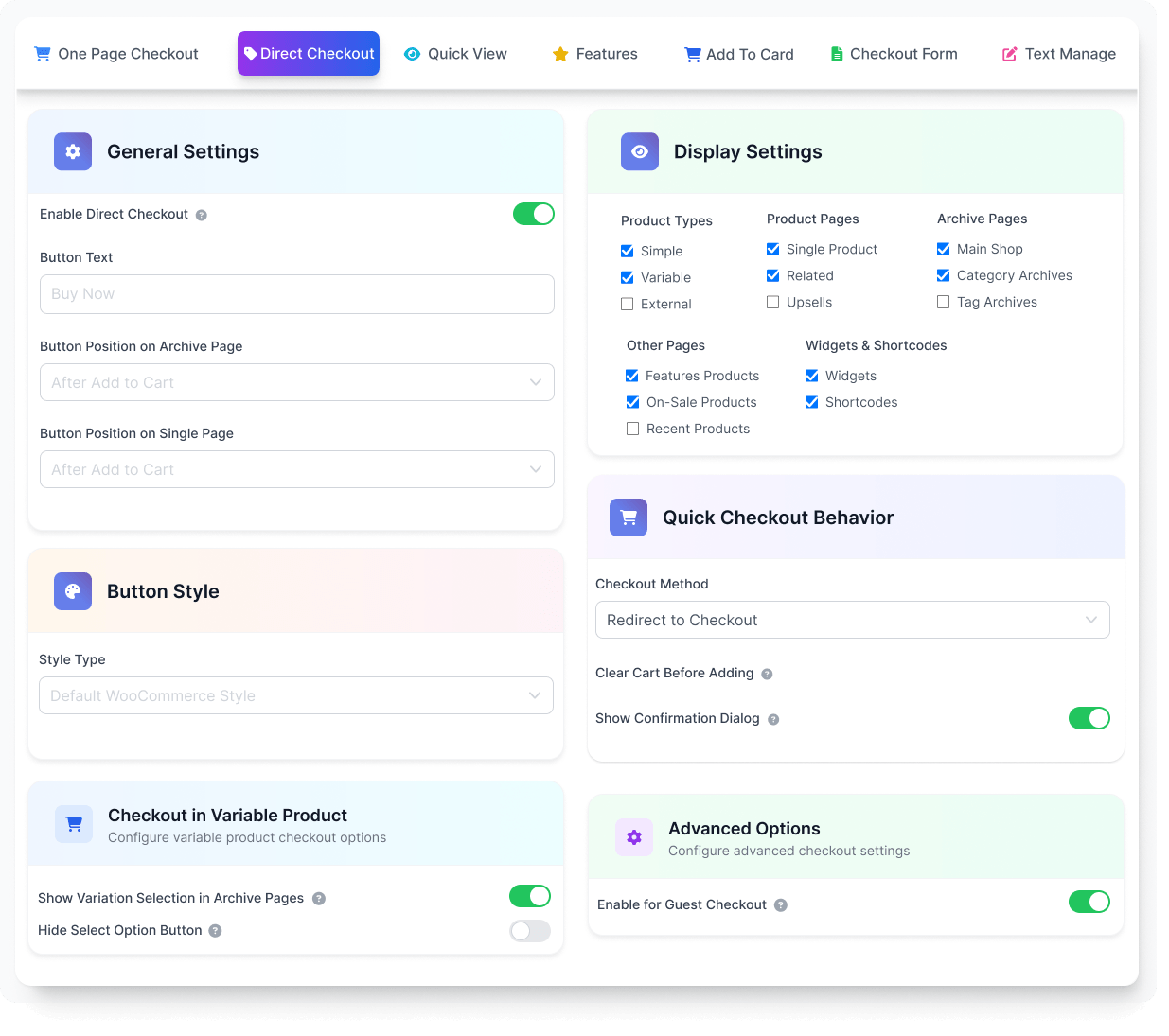
Manage your WooCommerce checkout flow with full flexibility. Use a centralized control panel to adjust how customers move from product selection to payment, optimize entry points, and create a smoother checkout experience without technical complexity.
👉 Control Entry → Optimize Flow → Increase Conversions
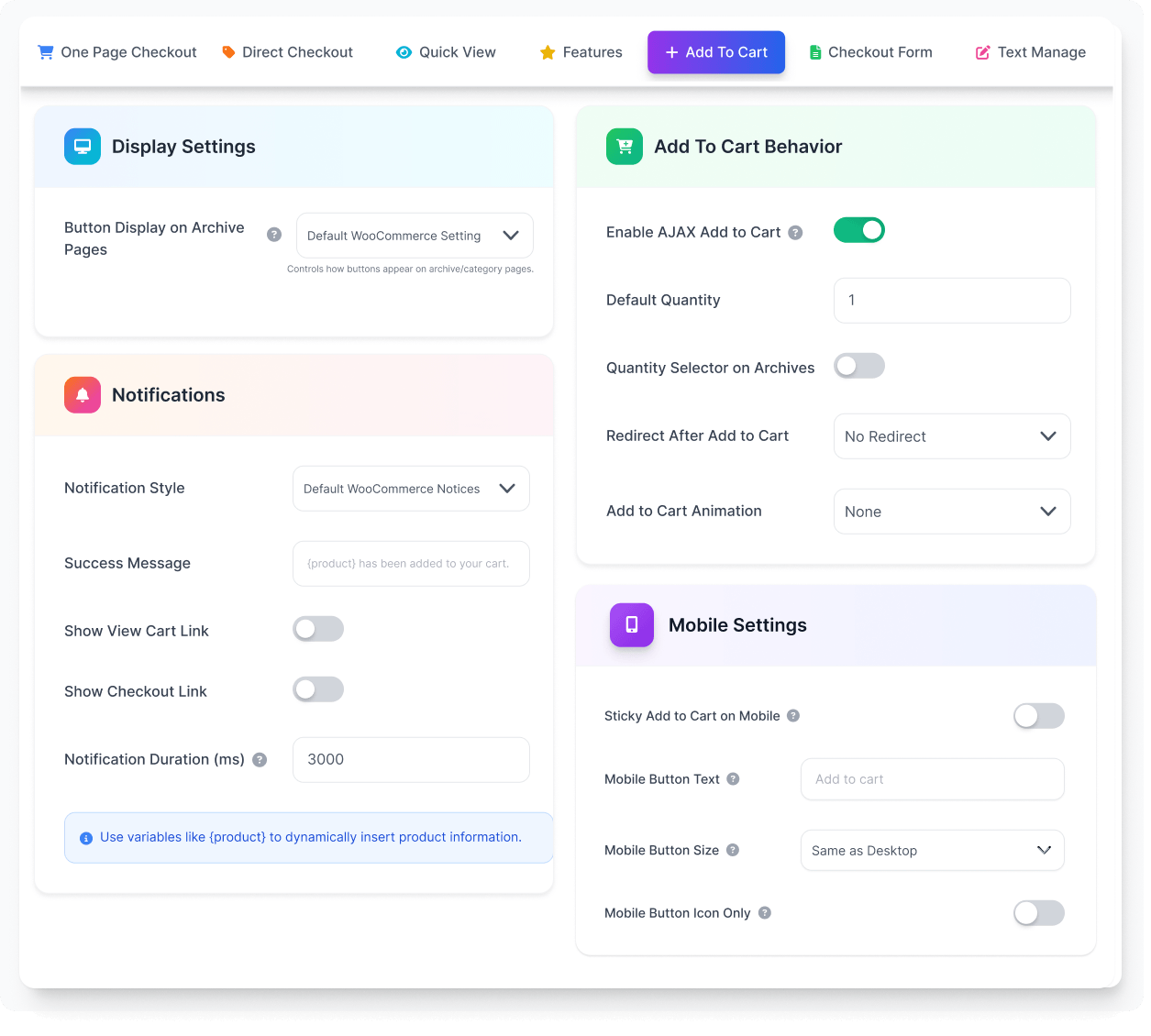
WooCommerce Add to Cart Behavior Management
Take full control of how customers interact with the add to cart button across your WooCommerce store. With flexible add to cart behavior settings, you can customize actions, improve flow, and create a smoother and more consistent shopping experience.
From AJAX add to cart updates to guided checkout flows, these settings help reduce friction and speed up the buying journey. Manage everything from a centralized panel and move customers toward faster conversions without unnecessary steps.
👉 Add to Cart → Choose Action → Move to Checkout
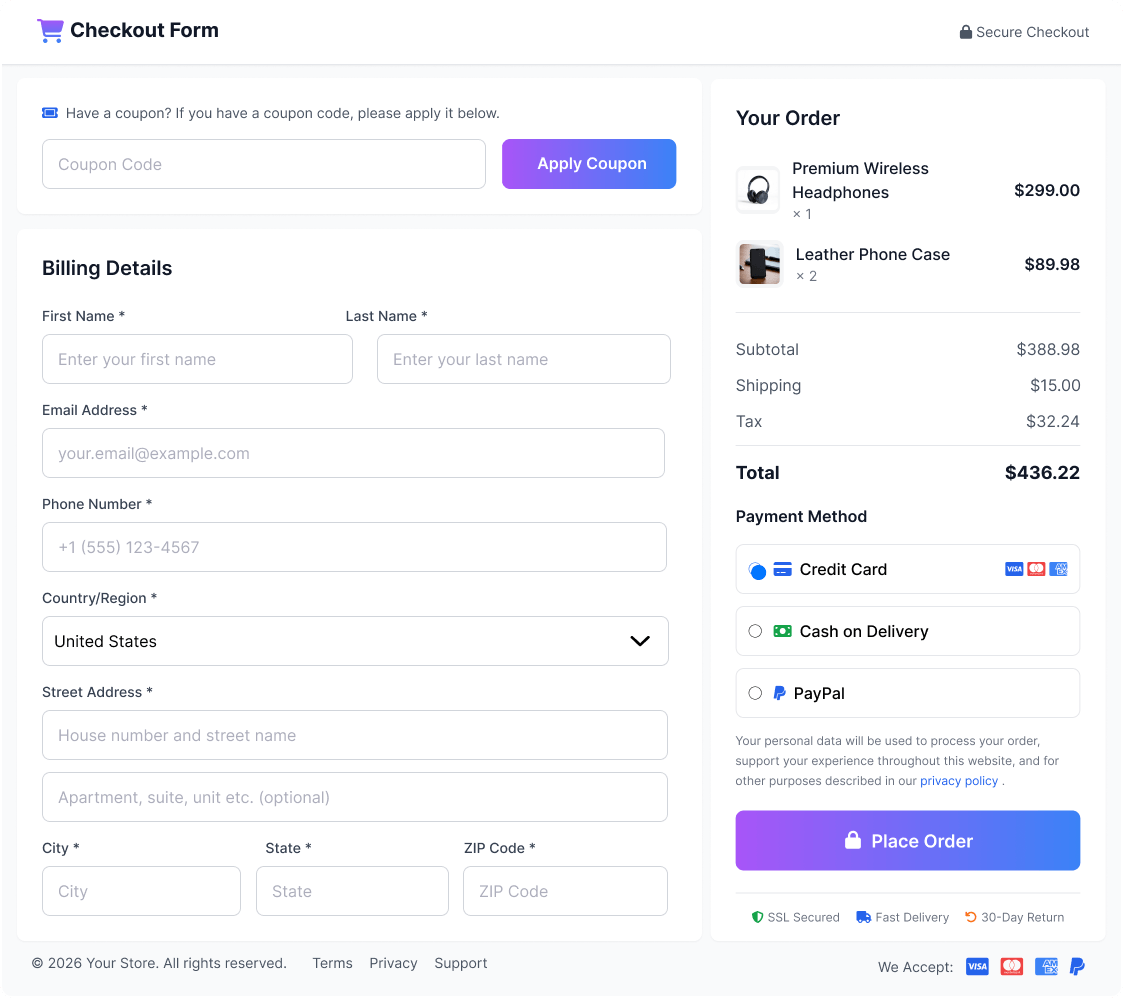
Customizable WooCommerce Checkout Form
Take full control of your WooCommerce checkout form with a flexible visual form editor. Customize fields, labels, and layout to create a clean and user-friendly checkout experience that reduces friction at the final step.
With simple controls, you can adjust every part of the checkout form without coding. From editing input fields to organizing layout structure, these settings help you create a faster and more efficient checkout flow.
👉 Customize Fields → Simplify Form → Complete Faster
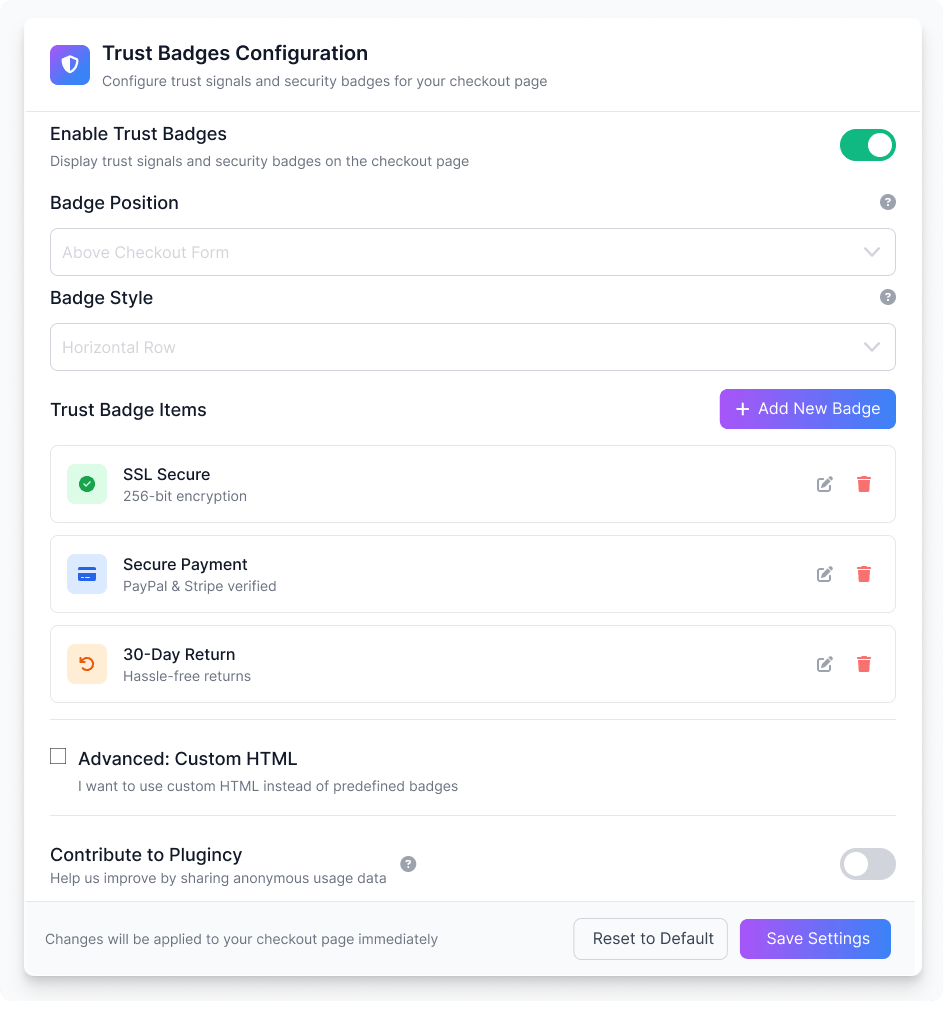
Trusted Badges for WooCommerce Checkout
Build customer confidence at the final step by displaying trusted badges directly on your WooCommerce checkout page. These visual trust signals help reassure shoppers about payment security and transaction safety, reducing hesitation during checkout.
By adding clear and recognizable trust indicators, you create a more reliable and professional checkout experience. This helps improve user confidence, minimize drop-offs, and support a smoother purchase journey.
👉 Build Trust → Reduce Hesitation → Complete Purchase
Trusted WordPress Plugins for Growing WooCommerce Businesses
Thousands of store owners trust Plugincy for reliable, lightweight, and conversion-focused WooCommerce plugins that deliver real results.
WooCommerce Theme Compatibility for All In One Checkout Plugin
All in one checkout for WooCommerce is built to work smoothly with popular themes and page builders. It integrates easily into your existing store without causing layout issues, styling conflicts, or performance slowdowns.
Whether you use a lightweight theme or a feature-rich design framework, the checkout system adapts automatically. This ensures a consistent, responsive, and reliable checkout experience across product pages, shop pages, and the entire buying journey.
👉 Theme → Layout → Checkout → Consistent Experience












+ Many More
Choose the Right All In One Checkout Plan for WooCommerce
Find the right all in one checkout for WooCommerce plan that fits your store needs, whether you manage a single site or multiple projects. Each plan includes essential checkout features like direct checkout, popup checkout, and one page checkout to help you create a faster buying experience.
Upgrade anytime as your store grows and unlock advanced features with flexible pricing options. Choose a plan that balances performance, control, and scalability without interrupting your checkout flow.
Single Site
Normally $69
$49/year
29% Savings
Most Popular
Up to Three Sites
Normally $207
$89/year
57% Savings
Up to Five Sites
Normally $345
$119/year
66% Savings
Single Site
Normally $249
$119(lifetime)
52% Savings
Most Popular
Up to Three Sites
Normally $747
$249(lifetime)
67% Savings
Up to Five Sites
Normally $1,245
$349(lifetime)
72% Savings
Free vs Pro – All In One Checkout for WooCommerce Comparison
Compare the key differences between the Free and Pro versions of all in one checkout for WooCommerce. See which features are included in each plan and choose the option that best fits your store’s needs and growth stage.
The Pro version unlocks advanced checkout controls, deeper customization, and performance-focused features designed to improve user experience and increase conversions as your store scales.
| Features | PRO $49 – $349 Get Started | FREE Get Started |
|---|---|---|
| Basic checkout form management | ✓ | ✓ |
| Popup checkout form | ✓ | ✓ |
| Basic direct checkout button | ✓ | ✓ |
| One-page checkout for single product | ✓ | ✓ |
| Multi-product one-page checkout | ✓ | ✓ |
| Basic multi-product checkout templates | ✓ | ✓ |
| Multi-product checkout customization | ✓ | ✓ |
| Basic WooCommerce add-to-cart customization | ✓ | ✓ |
| Add-to-cart behavior management | ✓ | ✓ |
| AJAX add to cart | ✓ | ✓ |
| AJAX cart updates | ✓ | ✓ |
| Quantity update without page reload | ✓ | ✓ |
| Remove cart items without page reload | ✓ | ✓ |
| Slide-out cart / menu cart | ✓ | ✓ |
| Product quick view popup | ✓ | ✓ |
| Archive page quick checkout | ✓ | ✓ |
| Variable product support | ✓ | ✓ |
| Product image in checkout | ✓ | ✓ |
| Product title link in checkout | ✓ | ✓ |
| Checkout text customization | ✓ | ✓ |
| Shortcode support | ✓ | ✓ |
| Gutenberg block support | ✓ | ✓ |
| Elementor compatibility | ✓ | ✓ |
| Mobile-friendly checkout experience | ✓ | ✓ |
| Translation-ready text | ✓ | ✓ |
| Advanced checkout form management | ✓ | ✖ |
| Visual checkout form editor | ✓ | ✖ |
| Edit checkout field labels | ✓ | ✖ |
| Edit checkout field placeholders | ✓ | ✖ |
| Change required/optional field status | ✓ | ✖ |
| Hide or show checkout fields visually | ✓ | ✖ |
| Checkout layout customization | ✓ | ✖ |
| 7 built-in multi-product checkout templates | ✓ | ✖ |
| Product table checkout template | ✓ | ✖ |
| Product list checkout template | ✓ | ✖ |
| Product single checkout template | ✓ | ✖ |
| Product slider checkout template | ✓ | ✖ |
| Product accordion checkout template | ✓ | ✖ |
| Product tabs checkout template | ✓ | ✖ |
| Pricing table checkout template | ✓ | ✖ |
| Archive variation selection | ✓ | ✖ |
| Advanced variation selection on shop/category pages | ✓ | ✖ |
| Hide default “Select options” button | ✓ | ✖ |
| Advanced quick view button positions | ✓ | ✖ |
| Quick view modal size controls | ✓ | ✖ |
| Quick view mobile optimization | ✓ | ✖ |
| Quick view AJAX add to cart | ✓ | ✖ |
| Quick view direct checkout | ✓ | ✖ |
| Quick view lightbox support | ✓ | ✖ |
| Quick view preload/cache/lazy-load controls | ✓ | ✖ |
| Advanced floating cart controls | ✓ | ✖ |
| Show/hide floating cart elements | ✓ | ✖ |
| Floating cart product image control | ✓ | ✖ |
| Floating cart remove item control | ✓ | ✖ |
| Floating cart variation editor | ✓ | ✖ |
| Floating cart coupon controls | ✓ | ✖ |
| Floating cart summary controls | ✓ | ✖ |
| Floating cart subtotal, discount, shipping, tax and total controls | ✓ | ✖ |
| Floating cart checkout button control | ✓ | ✖ |
| Floating cart item meta display | ✓ | ✖ |
| Floating cart item grouping | ✓ | ✖ |
| Floating cart product recommendations | ✓ | ✖ |
| Floating cart text customization | ✓ | ✖ |
| Floating cart custom icons | ✓ | ✖ |
| Cart recovery tools | ✓ | ✖ |
| Abandoned cart tracking | ✓ | ✖ |
| Recovered cart tracking | ✓ | ✖ |
| Recovered order tracking | ✓ | ✖ |
| Recovery email templates | ✓ | ✖ |
| Automated recovery emails | ✓ | ✖ |
| Email open tracking | ✓ | ✖ |
| Restore cart links | ✓ | ✖ |
| Unsubscribe links for recovery emails | ✓ | ✖ |
| Cart archive, ignore, reactivate and delete actions | ✓ | ✖ |
| Export cart recovery data | ✓ | ✖ |
| Trust badges in checkout | ✓ | ✖ |
| Custom trust badge icons | ✓ | ✖ |
| Custom trust badge text | ✓ | ✖ |
| Email click tracking | ✓ | ✖ |
| Trust badge position controls | ✓ | ✖ |
| Trust badge layout styles | ✓ | ✖ |
| Custom HTML trust badge area | ✓ | ✖ |
| Advanced add-to-cart button styling | ✓ | ✖ |
| Add-to-cart button custom colors | ✓ | ✖ |
| Add-to-cart button custom width | ✓ | ✖ |
| Add-to-cart button icons | ✓ | ✖ |
| Add-to-cart loading effects | ✓ | ✖ |
| Disable out-of-stock add-to-cart button | ✓ | ✖ |
| Mobile sticky add-to-cart button | ✓ | ✖ |
| Mobile add-to-cart button size controls | ✓ | ✖ |
| Mobile icon-only add-to-cart button | ✓ | ✖ |
| Add-to-cart notification customization | ✓ | ✖ |
| One-click purchase option | ✓ | ✖ |
| Clear cart before checkout option | ✓ | ✖ |
| Redirect after add-to-cart option | ✓ | ✖ |
| Force login before checkout | ✓ | ✖ |
| WPML-ready option text handling | ✓ | ✖ |
| License activation and validation | ✓ | ✖ |
| Pro updates | ✓ | ✖ |
| Priority support | ✓ | ✖ |
| Buy Now | Free Download |
What WooCommerce Users Are Saying About All In One Checkout
See how store owners are improving their checkout experience with all in one checkout for WooCommerce. Real feedback highlights how faster checkout flows and flexible controls help increase conversions and simplify the buying process.
Join a growing community of WooCommerce users who have streamlined their checkout and achieved better results with a smoother and more efficient shopping experience.
Henry Martinez
This plugin made checkout so simple for my customers. One-page checkout and popup options reduced cart abandonment, and sales have noticeably improved since I installed it.
Sophia Turner
I rely on the one-page layout for bulk purchases. Everything is visible, editable, and customers don’t get confused. Works well on mobile too, which is necessary. Default WooCommerce checkout feels outdated after using this solution.
Chris Vaughn
Checkout is simpler now. The slide-out cart and one-page flow save clicks, and it remains stable across updates for long-term use.
Nina Keller
Checkout flow was always my biggest bottleneck. After switching, customers complete orders faster. Popup checkout feels modern, multi-layout templates add flexibility, cart abandonment decreased, and setup was far easier than expected.
Marco Perez
I sell digital downloads, and one-click checkout is vital. This plugin handles direct checkout smoothly, button customization fits my theme with smooth performance. A reliable tool that makes WooCommerce checkout easier for users & admins.
Lara Benson
The multi-step option is excellent for first-time buyers. It feels structured, and the popup checkout is smooth and professional.
Chloe Moreau
I’ve used many checkout plugins for WooCommerce clients, but most were either slow or too complex. One Page Quick Checkout by Plugincy was refreshingly simple. It’s fast, clean, and works right out of the box. Great for single-product pages or quick sales, and it looks perfect on mobile. If you want a smooth, no-hassle checkout, this one’s worth it.
David Sanders
Direct checkout buttons improved sales. Customers skip unnecessary steps, it integrates cleanly with themes, & support is quick.
Kelly Roberts
Super fast checkout. After installing this plugin, my abandoned cart rate dropped, and customers now complete purchases quickly.
Ahmed Malik
Flexible, reliable, and developer-friendly. Exactly what I needed for a modern WooCommerce checkout that works smoothly.
Ryan Johnson
Their support saved me hours. I had an issue with button styling, and they responded quickly with a CSS fix. Beyond that, the pop-up checkout reduces steps and really gives my site an app-like feel. Clients notice the difference instantly.
Emily Harris
Not gonna lie, I loved it. My customers finish orders without leaving product pages. Popup checkout plus trust badges feels professional, and great for a flash sale campaign. Fewer steps equal better conversions, and this plugin proves it.
Olivia Martinez
Switching to this checkout plugin reduced abandoned carts immediately. Customers can finish purchases in fewer clicks, with everything visible on one page. The popup option feels modern, and the trust badges build confidence.
Sophia Bennett
The one-page checkout is clean and fast. Customers complete purchases without extra steps, and it works reliably with my theme.
Ethan Wright
The plugin simplified checkout for my store. Customers can adjust quantities, review products, and pay all on a single page without confusion. It’s mobile-friendly, and integrates with themes. The improvement in conversions was noticeable.
Liam Anderson
Direct checkout buttons speed up sales. Customers avoid unnecessary clicks, and the slide-out cart keeps the process smooth.
WooCommerce Checkout FAQ – All In One Checkout Questions Answered
Find answers to common questions about all in one checkout for WooCommerce. Learn how the plugin simplifies the checkout process, reduces unnecessary steps, and supports both single and multi-product purchases.
Still Have Questions About Your WooCommerce Checkout?
We’re here to help you get the most out of your all in one checkout for WooCommerce. Reach out to our team for guidance, quick answers, and support to improve your checkout experience