

Increasing conversion rates in WooCommerce means helping more store visitors become buyers. The biggest improvements usually come from stronger product pages, clearer pricing, better trust signals, smoother mobile shopping, and an easier path from product view to completed order.
This guide explains how to increase conversion rates in WooCommerce across the full shopping experience. You will learn what commonly reduces conversions, which improvements usually create the biggest impact first, and how to make your store more effective at turning traffic into sales.
Quick Ways to Increase Conversion Rates in WooCommerce
Increase WooCommerce conversions by making buying easier, clearer, and more trustworthy. The fastest gains often come from better product pages, clearer pricing, stronger trust signals, and a smoother buying flow.
- Improve product page clarity
- Clarify pricing and shipping
- Add reviews and trust signals
- Improve mobile usability
- Simplify cart and checkout
- Offer trusted payment methods
- Test key pages regularly
What Affects Conversion Rates in WooCommerce
WooCommerce conversion rates usually drop when buying feels unclear, difficult, or less trustworthy. The biggest factors often come from product pages, mobile usability, pricing clarity, trust signals, and checkout flow.
Below are the most common issues that affect conversions across a WooCommerce store.
- Weak product pages can lower confidence and reduce add-to-cart actions.
- Poor mobile experience can make browsing and buying feel harder.
- Unclear pricing or shipping can create hesitation before checkout.
- Low trust can stop shoppers from moving forward.
- Checkout friction can interrupt the purchase process.
- Poor traffic-to-offer match can bring the wrong visitors to the page.
How to Increase Conversion Rates in WooCommerce?
Higher conversions come from making shopping feel easier, faster, and safer. When product pages answer questions quickly, and checkout feels smooth, more visitors turn into buyers. Focus on the fixes below, and you will usually see results without needing more traffic. Here’s how to increase conversion rates in WooCommerce store easily.
Strengthen Product Pages
Weak product pages lower confidence and make shoppers hesitate before adding items to the cart. Use clear titles, strong images, short descriptions, and key details such as size, material, delivery, and return policy where buyers can find them quickly. Keep the add-to-cart button visible and make product options easy to understand.
Simplify Mobile Shopping
Poor mobile experience can reduce conversions even when product interest is high. Keep pages fast, text readable, and buttons easy to tap on smaller screens. Avoid layouts or popups that interrupt browsing, and test product, cart, and checkout pages regularly to make sure the full buying flow works smoothly on mobile devices.
Clarify Pricing And Delivery Details Early
Unclear pricing or shipping can create hesitation before shoppers move closer to purchase. Display shipping cost, taxes, delivery time, and return rules early on product and cart pages so buyers know what to expect. Clear cost and delivery information reduces surprises and helps customers feel more confident about continuing.
Build Trust Across The Store
Low trust can stop shoppers from moving forward, even when they like the product. Show real reviews, keep return and refund policies easy to understand, and display clear contact options across the store. Strong trust signals help first-time visitors feel safer and make the purchase decision easier.
Streamline Cart And Checkout Flow
Checkout friction can interrupt the purchase process at the final step. Offer guest checkout, keep fields to a minimum, and remove distractions that make checkout feel longer than necessary. If the default flow still feels restrictive, choosing the best WooCommerce checkout plugin for your store can help simplify the layout, reduce unnecessary steps, and create a smoother path to purchase.
Match Landing Pages And Navigation To Buyer Intent
Poor traffic-to-offer match can bring visitors to pages that do not fit what they expected to find. Use clear categories, helpful filters, accurate search, and landing pages that align with the product, message, or offer that brought the visitor in. Better matching helps shoppers find the right products faster and supports higher conversion rates.
When Default WooCommerce Experience Starts Limiting Conversions
Default WooCommerce works well for many stores, but it can start limiting conversions when growth depends on more control over the shopping experience. As product, traffic, and optimization needs become more complex, the built-in setup may no longer support the level of flexibility needed to convert more visitors consistently.
Below are common signs that the default WooCommerce experience may be holding conversion growth back.
- Product pages feel too basic for stronger selling, comparison, or decision support.
- Mobile shopping still feels clunky even after basic design improvements.
- Cart and checkout changes are harder to control without extra tools.
- Important conversion features are missing from the default setup.
- Running focused landing pages or offer-specific flows takes too much work.
- Testing different conversion ideas is difficult with limited built-in flexibility.
How Checkout Experience Affects WooCommerce Conversion Rates
Checkout experience affects WooCommerce conversion rates because it is the final stage where buying intent either continues or breaks down. When a store uses Quick Checkout for WooCommerce, checkout becomes clear and reliable. If it feels slow, confusing, or demanding, more of them leave before payment.
These checkout factors can directly influence whether a shopper completes the order or exits before the final step.
- Checkout Length: A longer checkout with extra steps or pages can increase effort and make shoppers more likely to leave before finishing.
- Form Complexity: Too many fields, unclear labels, or unnecessary information requests can slow shoppers down and create friction at the final step.
- Guest Checkout Availability: Requiring account creation before payment can interrupt buying intent and reduce conversions, especially for first-time customers.
- Payment Method Confidence: Shoppers are more likely to complete checkout when trusted and familiar payment options are available.
- Order Clarity: A clear summary of products, costs, shipping, and delivery details helps shoppers move forward with fewer doubts.
- Trust And Reassurance: Refund details, secure payment cues, and visible contact information can make checkout feel safer and more reliable.
- Mobile Checkout Usability: Easy taps, readable fields, and a clean layout are important because mobile friction can quickly reduce conversions.
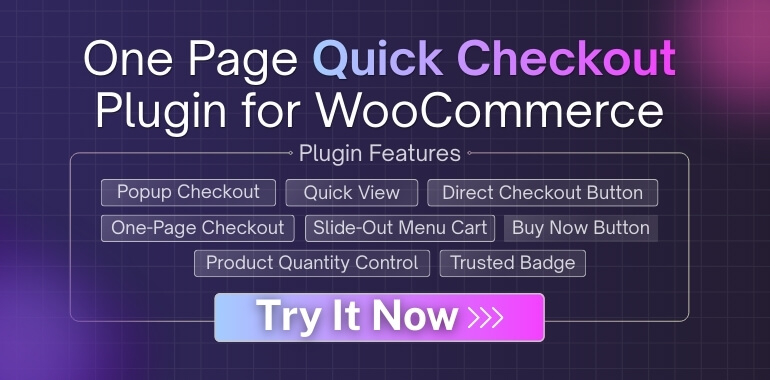
Optimizing Checkout With One Page Quick Checkout for WooCommerce
Checkout is the point where most WooCommerce stores lose revenue. Even motivated buyers abandon purchases when checkout feels slow, confusing, or demanding. Improving this stage often delivers faster conversion gains than redesigning product pages or changing pricing.
By simplifying the checkout flow, you remove friction at the most critical moment of the buying journey.
Reduce Checkout Steps
Every additional checkout step increases drop-off risk. Multi-page checkouts interrupt momentum and give buyers more chances to hesitate or leave.
Step-by-step process
- Remove unnecessary checkout fields that do not support payment or delivery
- Merge billing and shipping fields where possible
- Avoid redirecting users between cart, checkout, and confirmation pages
- Keep buyers focused on completing the order without distractions
Stores that reduce checkout complexity consistently see higher completion rates and fewer abandoned carts.
Use a One-Page Checkout Strategy
A one-page checkout keeps the entire buying process in a single, focused view. Buyers can review details, enter information, and complete payment without navigating away.
This approach supports:
- Faster decision-making
- Fewer distractions during checkout
- Stronger performance on mobile devices
Because the experience feels quick and familiar, one-page checkout and repeat purchases often go together, as buyers are more likely to return to stores that remember their time and effort.
Implement One Page Quick Checkout for WooCommerce
One of the most effective ways to apply a one-page checkout strategy is by using One Page Quick Checkout for WooCommerce or similar plugins. The plugin allows customers to move directly from product selection to checkout without unnecessary steps.
Installation Guide (Free Version)
- Go to your WordPress Admin Dashboard
- Navigate to Plugins → Add New
- Search for “One Page Quick Checkout for WooCommerce”
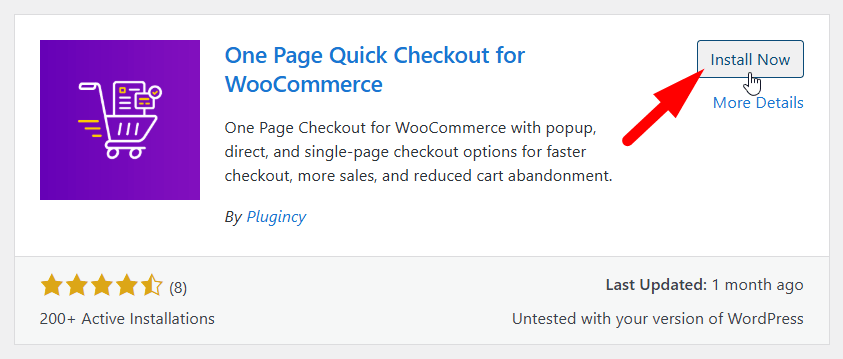
- Click Install Now, then Activate
Once activated, the free version enables quick checkout functionality with minimal setup.
Installation Guide (PRO Version)
- Purchase the PRO Version
- Visit the official website and complete your purchase
- Download the PRO Plugin
- After purchase, you will receive a download link by email
- Download the plugin ZIP file
- Install the Plugin
- Log in to your WordPress admin dashboard
- Go to Plugins → Add New → Upload Plugin
- Upload the ZIP file and click Install Now
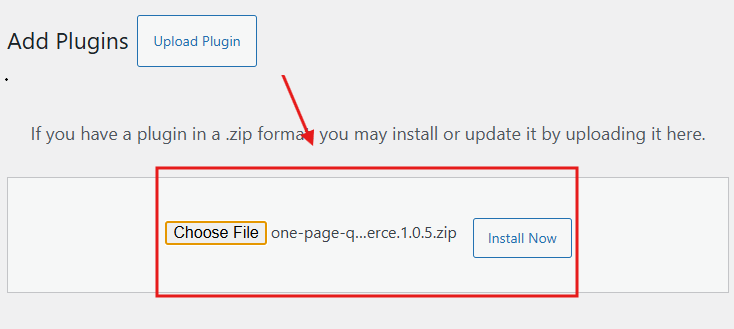
- Activate the Plugin
- Click Activate after installation
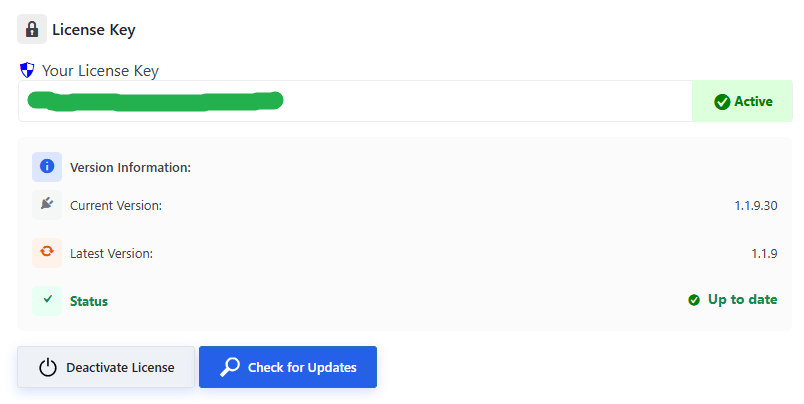
- Enter Your License Key
- Navigate to One Page Quick Checkout in the dashboard
- Enter your license key to unlock PRO features
Basic Setup After Installation
- Enable checkout on product or shop pages
- Remove cart page redirection
- Display the checkout form inline or in a popup
- Test the checkout flow on both desktop and mobile devices
This setup reduces friction, speeds up buying decisions, and improves completion rates, especially for impulse buyers and mobile shoppers.
Build Trust Where It Matters Most
Trust influences buying decisions long before payment details are entered. If shoppers feel unsure at the moment they are deciding to click Add to Cart or Checkout, they pause or leave. Trust signals must appear early, not after users reach the checkout page.
The goal is to remove doubt at the exact point where commitment begins.
Add Trust Signals Near Action Buttons
Trust elements work best when they are visible at the moment of action. When buyers see reassurance next to the Add to Cart or Checkout buttons, hesitation drops and confidence increases.
Effective trust elements include:
- Secure payment icons that confirm safe transactions
- Clear return and refund policies written in simple language
- Visible delivery timelines that set clear expectations
- Real customer testimonials or verified reviews
Place these signals close to the Add to Cart and Checkout buttons, not buried in footers or separate pages. Trust must support the decision instantly, not after doubt has already formed.
How to Encourage Repeat Purchases Through Experience?
Repeat purchases do not happen by chance. They are shaped by how customers feel during and after their first order. A smooth, predictable experience builds comfort, reduces hesitation, and makes buyers willing to return. Continue to the next points to see what truly influences repeat buying behavior.
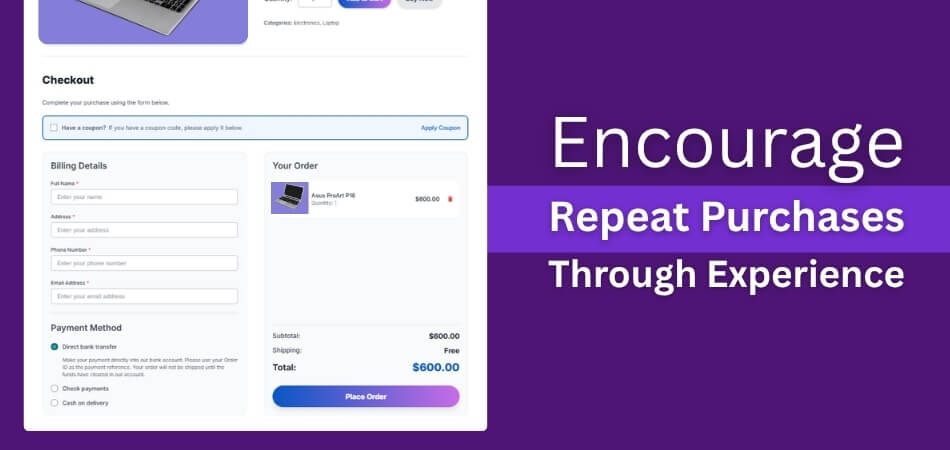
Simplify the First Purchase Experience
The first order sets expectations for future behavior. When checkout feels simple and clear, customers feel confident about returning. Reducing friction at this stage also helps reduce cart abandonment in WooCommerce, which directly increases the chance of customers coming back for another purchase later.
Make Checkout Feel Familiar Every Time
Customers prefer consistency. When returning buyers see the same checkout flow, layout, and steps, they move faster with less doubt. Familiar checkout experiences reduce mental effort and help customers complete future purchases without rethinking the process or questioning the store again.
Communicate Clearly After the Purchase
Post-purchase communication builds trust beyond the transaction. Clear order confirmations, delivery updates, and follow-up messages reassure customers that the store is reliable. When buyers feel informed and respected after checkout, they are more comfortable placing another order without hesitation.
Reduce Effort for Returning Customers
Repeat buyers expect convenience. Saved details, faster checkout options, and fewer required actions make returning purchases easier. When customers feel that buying again takes less time than their first visit, they are more likely to choose your store over competitors.
Create a Sense of Reliability Over Time
Consistency builds loyalty. When product quality, delivery timing, and support remain reliable across orders, customers develop confidence in the store. That confidence turns occasional buyers into repeat customers who return without needing discounts or heavy persuasion.
Repeat purchases grow when stores focus on ease, consistency, and trust across every interaction, not just pricing or promotions.
Track and Improve Conversion Performance Over Time
Conversion optimization is not a one-time task. Buyer behavior changes, traffic sources shift, and small issues appear over time. Stores that consistently track performance and refine their setup gradually achieve stronger and more stable conversion growth.
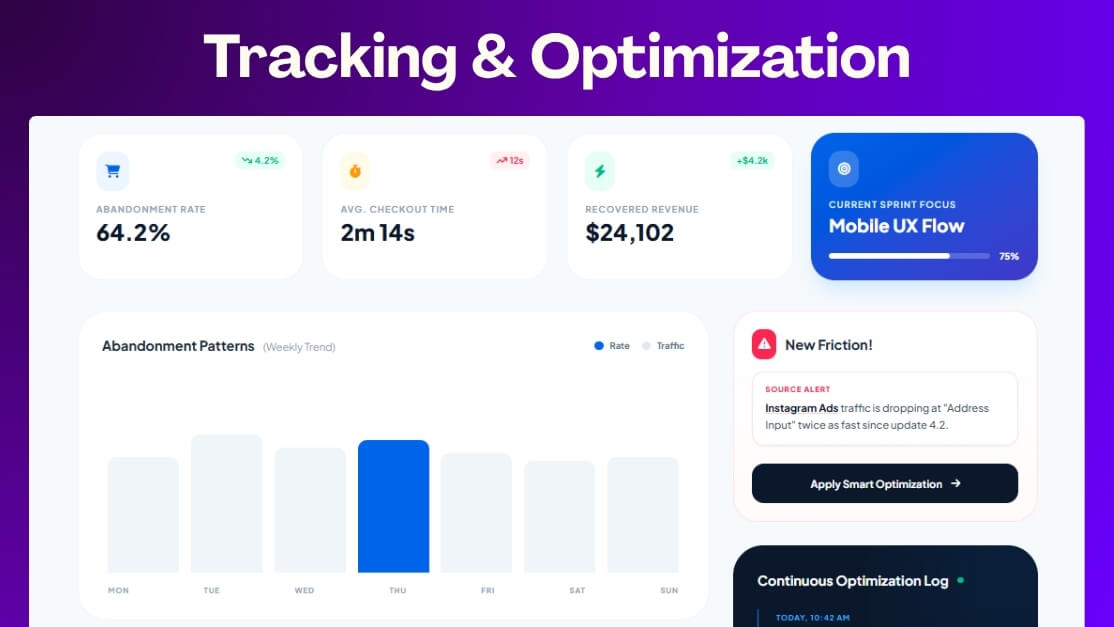
Track Checkout Drop-Off Points
Understanding where users leave the buying process is the starting point. Monitoring checkout drop-off points helps identify friction areas such as form fields, payment steps, or page load delays. These insights reveal where improvements will have the highest impact.
Change One Element at a Time
Making multiple changes at once makes the results unclear. Adjusting one element allows you to understand what actually improves conversions. This approach prevents guesswork and ensures each update is based on real performance data rather than assumptions.
Compare Before and After Results
Always measure results against a clear baseline. Comparing conversion data before and after a change helps confirm whether an improvement worked. This keeps optimization decisions grounded in facts instead of opinions or temporary trends.
Improve Based on Real User Behavior
Data should guide every decision. Use real user behavior such as click paths, time spent, and checkout exits to refine the experience. Continuous adjustments based on actual usage patterns lead to steady and reliable conversion improvements.
Continuous refinement produces long-term gains by keeping your WooCommerce store aligned with how customers actually shop, not how you assume they do.
Frequently Asked Questions
Before wrapping up, these common questions often come to mind once store owners understand the core conversion strategies. The answers below address practical concerns that usually appear after reviewing the full optimization process.
How Long Does It Take To See Conversion Improvements In WooCommerce?
Conversion improvements rarely happen overnight. Small changes like checkout simplification may show results within days, while larger experience updates often need a few weeks. Consistent testing and patience usually lead to stable and measurable gains.
Does Traffic Quality Affect WooCommerce Conversion Rates?
Yes, traffic quality plays a major role in conversions. Visitors who arrive with a clear intent convert more easily than random traffic. Aligning ads, keywords, and landing pages with buyer expectations improves overall conversion performance.
Can Discounts Hurt Long-Term Conversion Performance?
Frequent discounts can reduce trust and perceived value over time. Customers may delay purchases while waiting for offers. Balanced pricing with a smooth buying experience often performs better than relying heavily on constant discounts.
Do WooCommerce Themes Impact Conversion Rates?
Themes affect layout clarity, speed, and mobile usability. A poorly structured theme can confuse buyers and slow checkout. Choosing a clean, fast theme improves browsing flow and supports higher conversion rates naturally.
What Metrics Should Be Watched Besides Conversion Rate?
Conversion rate alone does not tell the full story. Metrics like checkout abandonment, time on page, and repeat purchase rate reveal deeper issues. Tracking these together helps identify where improvements matter most.
Concluding Words
Improving sales does not always require more traffic or bigger budgets. When you focus on clarity, trust, and a smoother buying process, results start to follow naturally. Small changes in checkout flow, product presentation, and communication often make the biggest difference over time.
If you are serious about learning how to increase conversion rates in WooCommerce, start by fixing friction points and listening to real customer behavior. Keep testing, stay consistent, and let the experience guide your improvements for steady and lasting growth.